





PEX product updates: credit automation, smarter expense controls and faster finance workflows

Finance teams don’t need more tools. They need fewer manual tasks.
Yet many finance leaders still spend hours chasing receipts, correcting miscoded expenses, and tracking down missing transaction details before they can close their books.
Our newest updates focus on solving these everyday challenges. From smarter GL-code tagging to better documentation workflows and improved audit visibility, these updates simplify expense management.
New credit updates to keep spending moving and improve financial control
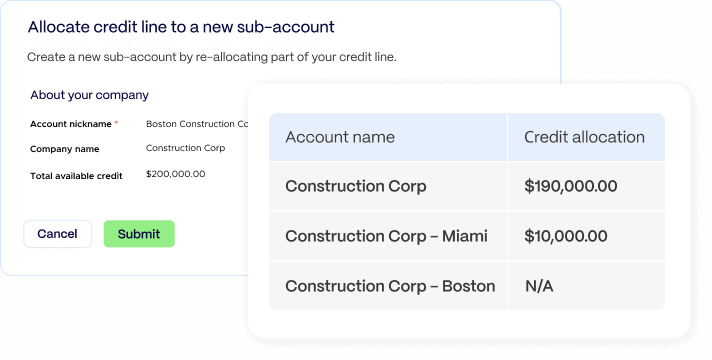
Credit line allocation to new sub accounts is now available!
Managing expenses across multiple entities, divisions or subsidiaries can quickly become complicated.
With Credit line allocation, finance teams can oversee multiple programs from a single login while keeping transactions neatly separated for accurate accounting. This update makes it easier to maintain control as organizations grow.
Allocate your credit line and:
- view spending across multiple programs in one dashboard
- drill into individual programs for detailed reporting
- add new sub-accounts without disrupting existing setups
Instead of juggling multiple logins or fragmented reports, finance teams gain centralized oversight with clean financial separation. Learn more here.
Early autopayment keeps your credit line available
Running into credit limits can interrupt business operations and create extra work for finance teams. Early autopayment prevents that disruption by automatically paying down balances before they reach the credit limit.
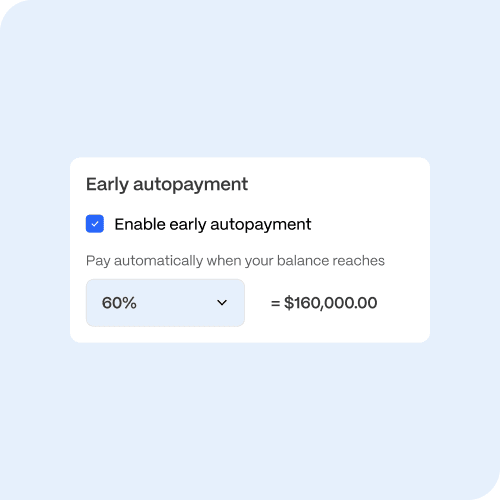
Admins simply set a trigger threshold, for example, when the balance reaches 60% of the credit line.
Once that threshold is reached, PEX automatically:
- processes a payment from the linked bank account
- restores the available credit line
- allows cardholders to continue spending without interruption
This automation helps organizations maintain smooth spending operations, optimize cash flow and keep credit lines available without constant manual monitoring. Learn more here.
New workflow improvements to streamline daily expense management
Tag-based filters improve GL-Code tagging accuracy
Incorrect tagging often creates extra work during reconciliation.
PEX now supports tag-based filters, which automatically limit tag options based on relationships your team configures in your accounting or ERP system.
For example:
- selecting a project limits the available cost codes
- selecting a cost code narrows the available expense categories
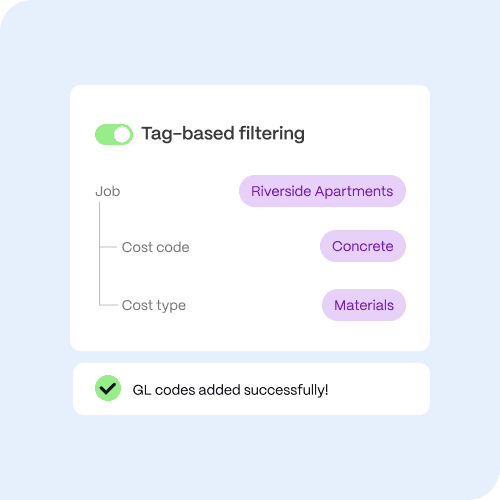
Admins configure the relationships once and the system guides cardholders toward the correct selections every time. This reduces tagging mistakes and improves reporting accuracy. Ready to set up your own tag-based filters? Learn more here.
With PEX tag-based filtering:
- job, cost code, and cost type tags are linked together
- cardholders only see tags relevant to the selected project
- invalid combinations are blocked entirely
- expenses sync to job costing software correctly from the start
No more manual corrections. No more profitability surprises.
Require cardholder notes and collect them via SMS
Finance teams often receive transactions without enough context to approve them quickly.
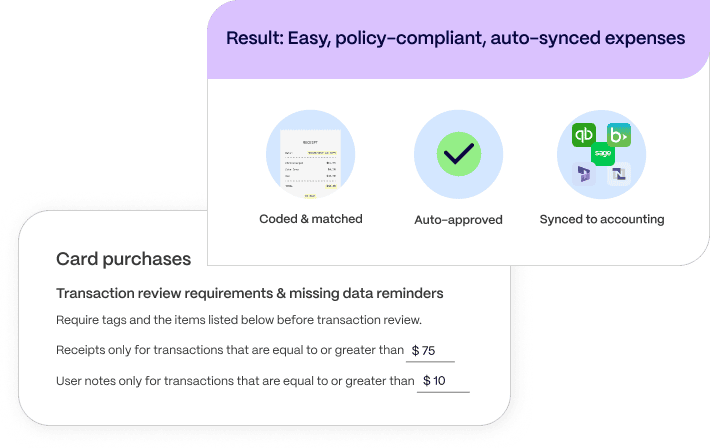
PEX now allows administrators to require cardholder notes before transactions move to review.
Cardholders can also submit receipts and notes together through a single SMS message. This workflow ensures every transaction arrives with the information approvers need. Cardholders receive automatic notifications explaining what documentation is required and AI automatically matches receipts and notes to the correct transaction. Instead of chasing employees for missing explanations later, finance teams receive complete expense details upfront. Learn more here.
How construction companies can close audit gaps
A regional construction company with more than 200 employees struggled with expense documentation across multiple job sites.
Supervisors used company cards for materials, fuel and equipment rentals, but many transactions arrived without receipts, project codes or descriptions. Finance teams spent hours each month tracking down missing documentation.
During their annual audit, auditors flagged several transactions as unsupported expenses.
After implementing required tags, receipts and explanatory notes in PEX:
- supervisors submitted receipts and notes the system automatically matched transactions and routed them for approval
- finance teams received fully documented expenses on the first pass
New ways to pay vendors in PEX
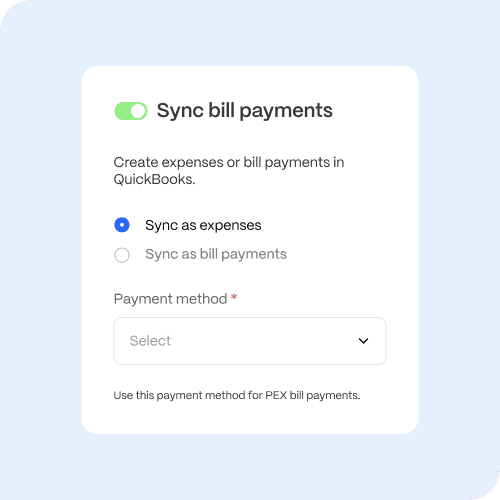
PEX now gives finance teams more ways to pay vendors while keeping every transaction connected to their accounting system.
If a vendor accepts cards, teams can generate a PEX virtual card and use the auto card switcher to complete the payment and track the spend in real time.
If a vendor does not accept cards, teams can send payment using ACH Bill Pay directly in PEX.
No matter how the vendor is paid, the payment details automatically sync to QuickBooks Online, helping keep accounting records accurate without manual entry.
With flexible payment options in one platform, finance teams can:
- pay vendors the way each vendor prefers
- manage card and ACH payments in one place
- automatically sync transactions to QuickBooks Online
- reduce reconciliation work and manual data entry
PEX makes it easier to handle vendor payments and keep the books up to date. Learn more here.
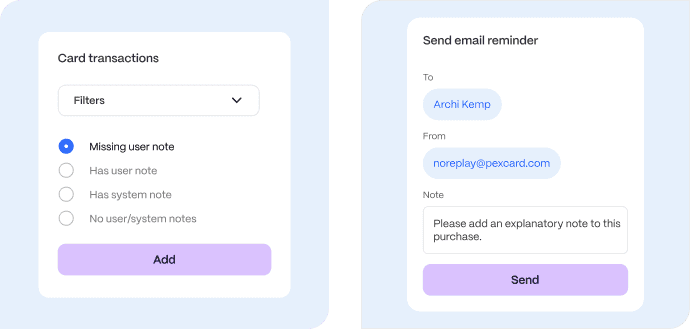
Find missing notes instantly with transaction filters
Even with documentation policies in place, finance teams still need a fast way to identify incomplete submissions.
PEX now allows admins to filter transactions that are missing notes.
With this filter, finance teams can:
- identify transactions missing documentation
- select flagged items in bulk
- send reminders to cardholders in just a few clicks
This feature helps ensure transactions move through review faster.
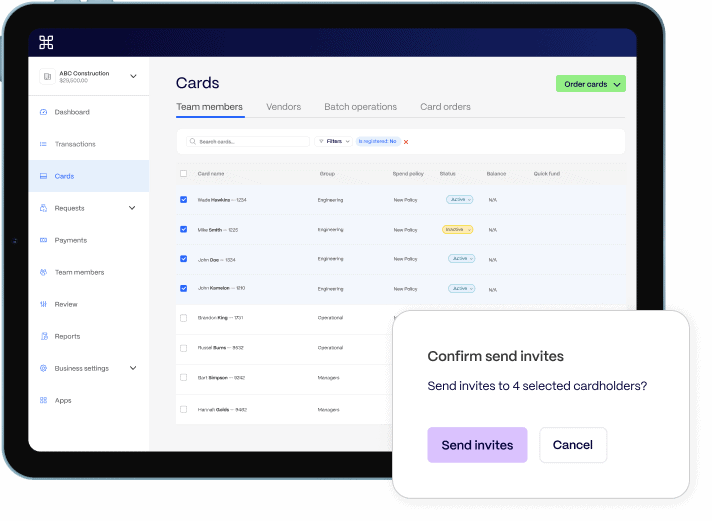
Send invites in bulk to onboard cardholders faster
Tracking which employees have completed account registration can slow down onboarding.
PEX now includes an “Is Registered” filter on the card list page. Admins can quickly identify which cardholders have not registered and resend invitations in bulk. This removes the need for spreadsheets or manual tracking and helps teams get everyone onboarded quickly.
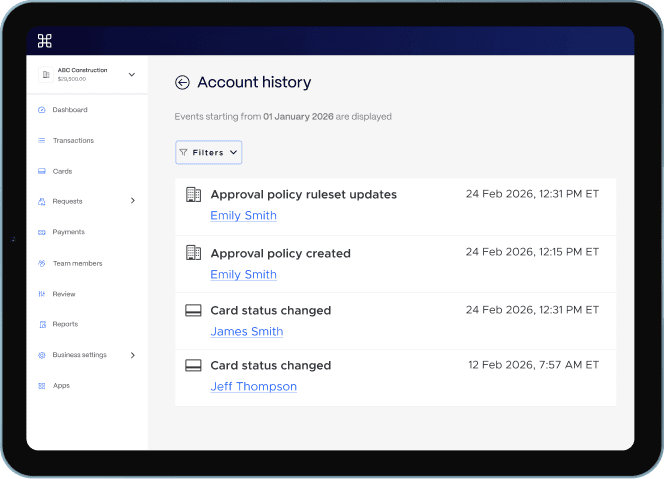
Account history provides a built-in audit trail
Maintaining strong internal controls requires transparency. The new account history feature records important account changes, providing a clear audit trail. Finance teams can easily see what changed, when the change occurred, who made the update. This visibility makes audits smoother and ensures better accountability across financial workflows. Learn more here.
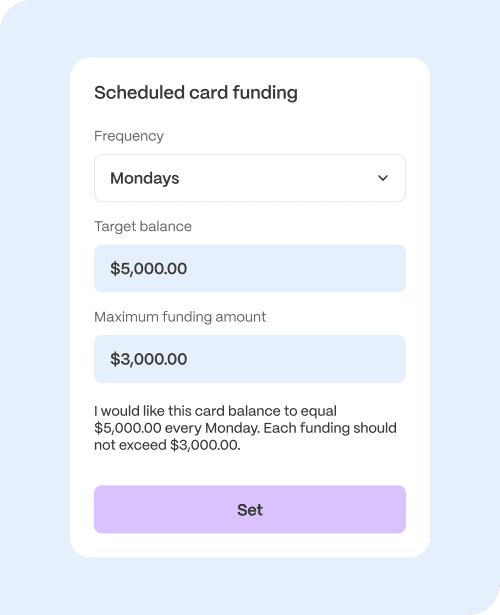
Set maximum funding amounts for scheduled card funding
Finance teams using scheduled funding often want tighter control over how much money moves to cards automatically. PEX now allows administrators to set a maximum funding amount for scheduled top-ups. This gives finance teams greater control over cash flow by limiting the amount transferred during a scheduled funding event. The result is better oversight of automated card funding while maintaining the convenience of scheduled transfers. Learn more here.
Coming soon: upcoming integrations and bill management features
- Microsoft Dynamics integration
PEX plans to expand its integration ecosystem with support for Microsoft Dynamics 365. This upcoming integration will allow organizations using Dynamics to sync expense and financial data directly with the PEX platform. No exports, no manual entry. Just real-time visibility from card swipe to ledger. Sign up for the BETA here.
- Send bills to PEX via email
PEX is also introducing the ability to send bills directly to PEX through email.
This upcoming feature will allow finance teams to forward vendor invoices to PEX for processing and payment. The goal is to simplify bill intake and reduce manual steps in the accounts payable workflow
See the newest PEX updates in action
These updates are now available in the PEX platform. If you want to see how these features can streamline expense management and simplify financial workflows, request a personalized demo to explore the latest capabilities.



Opinions, advice, services, or other information or content expressed or contributed here by customers, users, or others, are those of the respective author(s) or contributor(s) and do not necessarily state or reflect those of The Bancorp Bank, N.A. (“Bank”). Bank is not responsible for the accuracy of any content provided by author(s) or contributor(s).