





PEX product updates: AI-powered expense management, smarter GL coding and faster finance workflows

Finance teams don’t need more tools. They need fewer steps.
Yet many CFOs and accountants still spend hours switching between systems, fixing miscoded transactions and tracking down missing details before they can close the books.
Our latest updates remove that friction. From AI-powered insights to smarter GL coding and automated workflows, these enhancements help your team move faster while staying in control.
Embed PEX directly into your AI platforms
Finding answers in your financial data shouldn’t require digging through reports.
Our new Model Context Protocol (MCP) server connects your PEX business account directly to AI assistants like Claude, turning plain English into real-time answers about your cards, transactions, balances and spending rules. No dashboards to dig through. No reports to export. Just ask.
What does that actually look like?
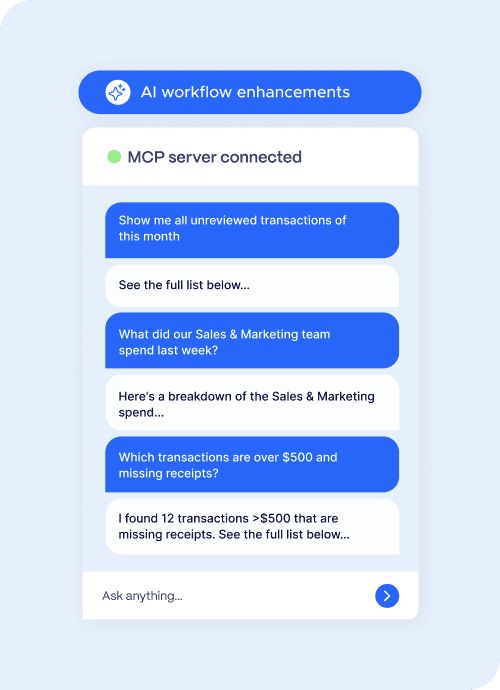
How the MCP server works
The MCP server securely connects to the PEX API, giving AI assistants structured, permission-based access to:
- Transaction data
- Card or account balances
- Card activity
- Controls and spend rules
This ensures accurate, real-time insights without manual reporting. Learn more here.
Improve GL coding accuracy with tag-based filters
Incorrect expense tagging creates extra work during reconciliation.
Tag-based filtering guides cardholders to the correct selections automatically.
Here’s how it works:
- selecting one tag narrows the next dropdown to valid options
- irrelevant cost codes are removed
- invalid combinations are blocked entirely
Admins configure tag relationships once. Every transaction follows the same logic.
The result:
- fewer coding errors
- faster reconciliation
- cleaner reporting across projects and budgets
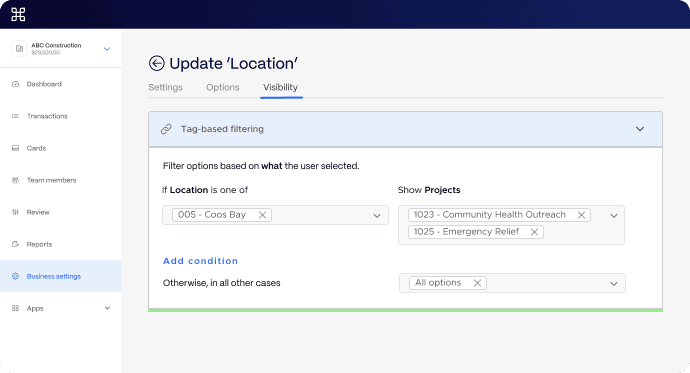
This removes a major bottleneck in month-end close, where teams spend minutes per transaction correcting errors. Now available via the Sage Intacct integration & coming soon to other accounting integrations.
Learn more about tag-based filters and managing your chart of accounts in PEX.
Manage multiple PEX cards within your wallet
Managing multiple cards or accounts slows teams down and can lead to errors when disorganized.
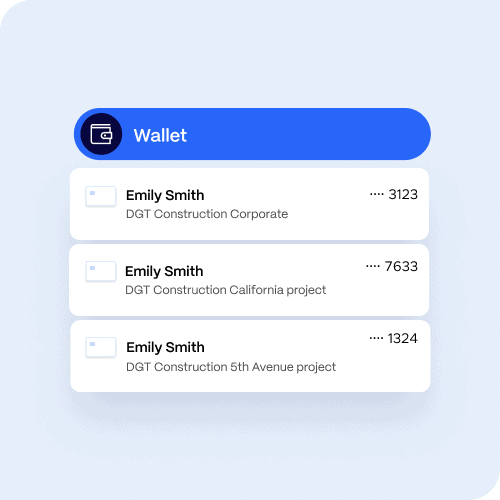
Your wallet puts every linked card in one place.
- switch between cards instantly
- view all linked accounts in one dropdown
- reduce navigation time across accounts
More automation, less manual work with transaction workflow improvements
Transaction workflow improvements help your team close faster, stay compliant and spend less time chasing missing receipts.
We know the end of the period can be a lot. Missing receipts, untagged transactions and follow-ups for notes all create friction that costs your team real time. Today’s updates are designed to reduce that friction at every step.
What’s new:
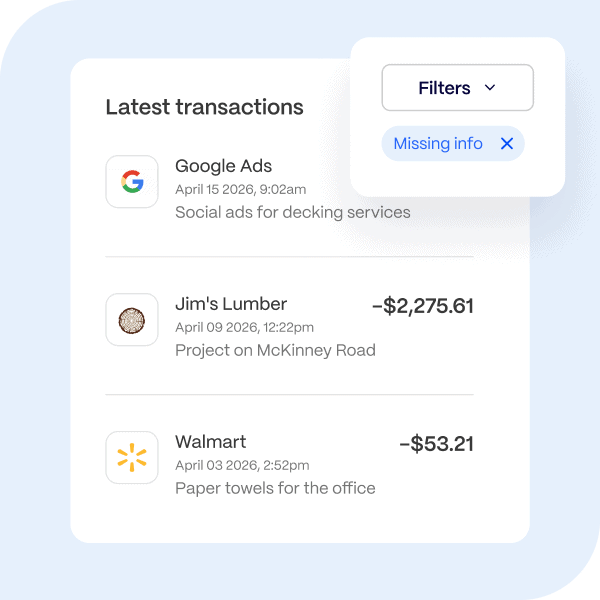
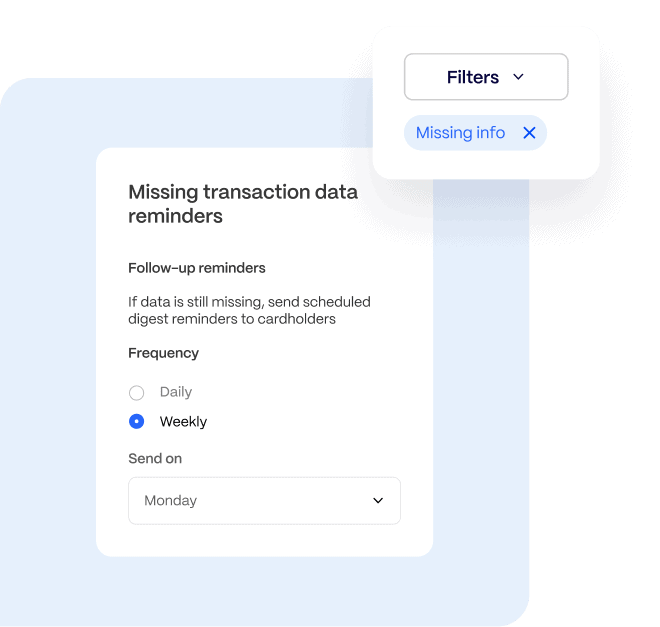
- Missing transaction info filter keeps incomplete items visible until they’re resolved
A new filter, visible to Cardholders and available to admins, surfaces every transaction still waiting on a receipt, tag or note based on your business account rules. No more hunting for incomplete items. Everything that needs attention is always one click away.
- Warning message for incomplete transactions keeps users aware without interrupting their flow
When a user starts adding transaction details but doesn’t finish, they’ll see a clear warning before moving on. A simple, well-timed prompt helps them complete the record in the moment.
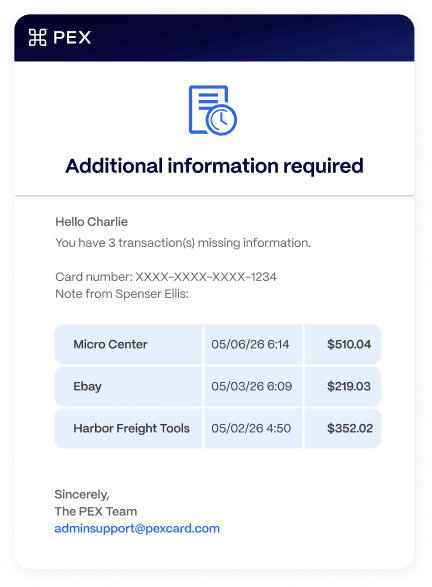
- Automated missing transaction info digest sends reminders only when action is needed
A periodic summary email, sent only when transactions are missing information, keeps employees accountable without creating extra manual work or cluttering inboxes.
These updates reduce one of the biggest delays in finance workflows: chasing documentation.
New and improved integrations to your accounting platforms
Disconnected systems slow finance teams down. Data gets stuck in silos, reconciliation takes longer and small errors turn into bigger problems at month-end.
These updates focus on keeping your data moving automatically between PEX and the systems your team already uses.
Microsoft Dynamics integration is now live for Business Central users
We’ve launched a bi-directional connection between PEX and Microsoft Dynamics Business Central.
Link your PEX account to Dynamics in just a few clicks, and your spend data starts moving automatically. Purchases, fees, bill payments, transfers, rebates and receipt images flow directly into your general journal, mapped to the fields and dimensions your team already uses.
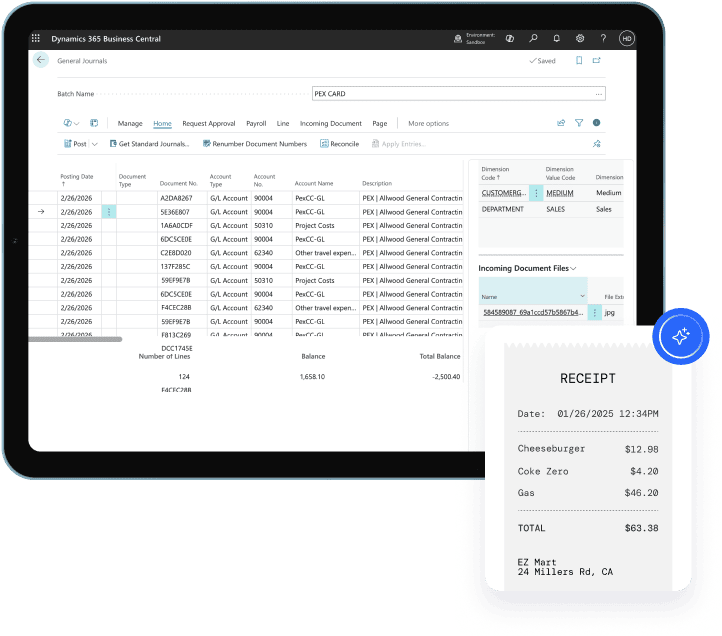
Set it up once and transactions sync nightly or on demand. No exports. No manual entry. Every transaction moves from card to ledger without extra work. That means real-time visibility into business spending, right inside your ERP.
Preview the flow here or directly connect PEX to Dynamics 365 Business Central →
Smarter coding with Sage Intacct related dimension sync
PEX now supports deeper Sage Intacct integration with related dimensions and CRE module support.
For construction and project-based teams, this removes one of the biggest sources of friction: manual tagging and mismatched job costing data.
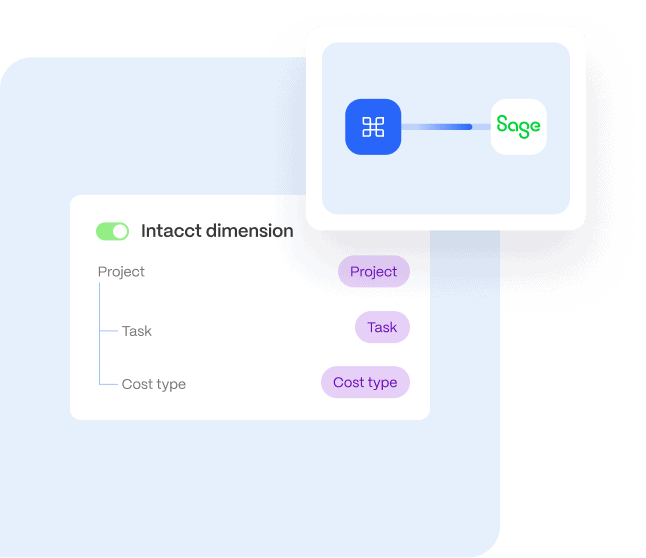
PEX automatically syncs key dimensions like:
- project
- cost code or task
- cost type
As your data changes in Intacct, PEX stays in sync. No spreadsheets. No manual updates. No rework.
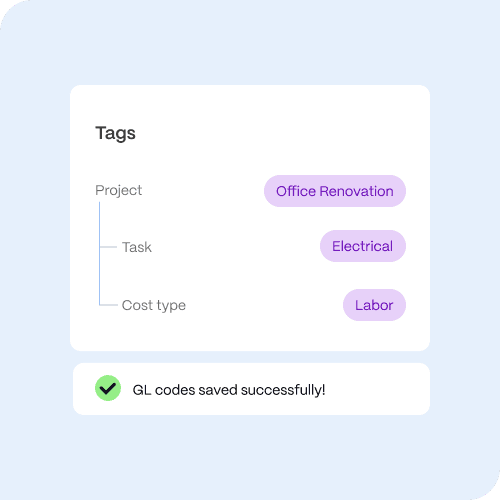
It also brings those relationships directly into the tagging experience through cascading tag-based filters.
Pick a project on a transaction, and the task dropdown narrows to that project’s tasks. Pick a task, and cost type narrows to only the valid options for that task.
Cardholders no longer scroll through hundreds of irrelevant options or accidentally code to a task that doesn’t belong to the selected project. Transactions are coded correctly the first time and flow cleanly into your accounting system.
Coming soon: more ways to connect and automate
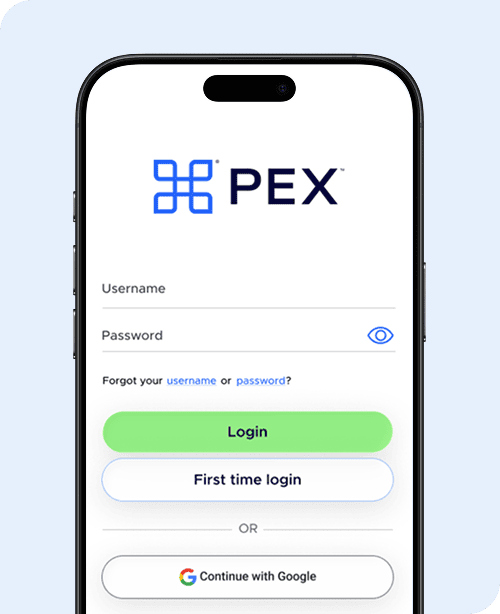
Log in faster with Google sign-in
Logging in shouldn’t slow you down. With Google sign-in, your team gets:
- faster access during busy workflows
- built-in security with Google authentication
- fewer password resets and admin requests
We are expanding support for Microsoft soon. Sign up for more information here.
Anonymous receipt submission
Not every card belongs to a named employee — and that shouldn’t stop receipts from getting matched.
For teams using shared cards, role-based cards or generic card names like “Plumber 4,” attaching receipts to the right transaction has always been a manual headache. Anonymous receipt submission changes that. Anyone can forward a receipt from an unknown email or phone number, and PEX securely matches it to the correct transaction — no account required.
No chasing down who made the purchase. No manual matching. Just receipts connected to the right transactions automatically.
PEX reconciliation agent
Closing the books shouldn’t mean chasing receipts or hunting for missing GL codes at the end of the month.
Built on agentic AI, the Reconciliation Agent gives your accounting team a real-time view of everything standing between you and a clean close.
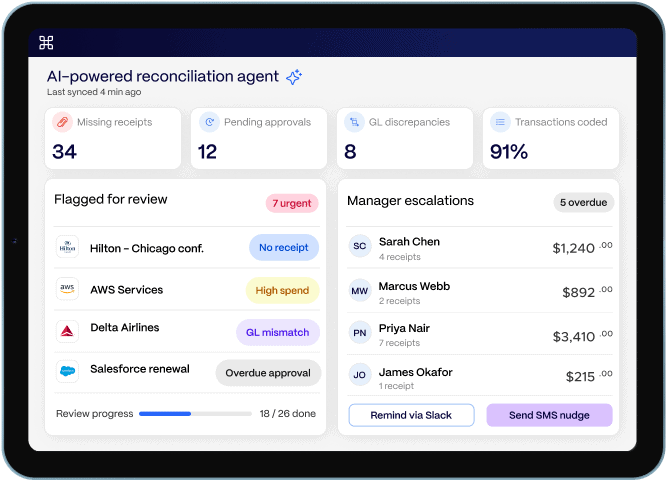
That includes:
- missing receipts
- incomplete tags
- unapproved transactions
- coding discrepancies
Each issue comes with one-click drill-down into the transactions that need attention.
Guided reviews surface expenses that need a closer look before approval. Managers get automatic escalation alerts for overdue receipts. Tag discrepancies are flagged before they turn into reconciliation problems.
The agent works in the background so your team doesn’t have to. Less chasing. Faster close.
Why these PEX updates matter for finance teams
Every update is built around three priorities:
- automation to eliminate repetitive work
- control to reduce risk and errors
- efficiency to close faster
When these are in place, finance teams can:
- reduce manual workload
- improve reporting accuracy
- gain real-time visibility into spend
- focus on strategic decision-making
See the latest PEX updates in action
These updates are now live in the PEX platform.
If you want to simplify expense management, reduce manual work and close faster, explore the latest features or request a personalized demo.
Because better finance workflows don’t come from more tools. They come from removing the work that slows you down.



Opinions, advice, services, or other information or content expressed or contributed here by customers, users, or others, are those of the respective author(s) or contributor(s) and do not necessarily state or reflect those of The Bancorp Bank, N.A. (“Bank”). Bank is not responsible for the accuracy of any content provided by author(s) or contributor(s).